
Support article
508 Resource Limit Is Reached Error
The 508 Resource Limit Is Reached error appears when your hosting account consistently exceeds its assigned resources such as CPU and memory. Learn what causes it, how CloudLinux manages limits, and how to fix it.
The 508 Resource Limit Is Reached error can be translated as 508 Resource limit has been reached. It appears when your hosting account is consistently exceeding the resources assigned to the account.
 The monitored resources are:
- CPU
- Virtual Memory
- Physical Memory
- Number of concurrent processes.
- Input and output operations per second.
All of these resources are managed through Cloudlinux. Cloudlinux is the operating system we use on all of our servers and it allows us to prevent a single hosting account from devouring the resources of the entire server.
Generally, the 508 Resource Limit Is Reached error message can mean three things:
- Your hosting is under attack. Possibly because the programs you use are insecure or are poorly installed or configured. Ask one of our technicians to install a security package on your website.
- The plugins or templates you have installed have a programming bug. They may be devouring memory, or perhaps they never close processes. Make sure that all the programs you use are updated to their latest version.
Your website is so successful that you need a higher hosting plan. The one you currently have isn’t enough and you’ll need to pay a little more to accommodate all the concurrent users you have. It’s easy to understand that a page with 1,000 users per month is not the same as one with 100,000 users per month. In this case, you should consult with our sales team to adjust your plan to a service that fits your needs.
WHAT IS THE PURPOSE OF THIS ERROR?
The main goal is to maintain the stability and quality of the service we offer to ALL of our customers. If your website is affected by this message, we assure you that it has a solution, but your needs will have to be properly sized so that all customers get the service they deserve.
THIS SITUATION HAPPENS ON MY UNLIMITED HOSTING SERVICE, WHERE I HAVE 80 DOMAINS INSTALLED, WHAT CAN I DO?
We have customers with 80 or more domains on a single hosting service who have never seen this message, and others with 1 or 2 domains who see it every day. Most likely, only one or two of your domains are devouring all the resources. Ask our support department to help you identify which ones they are. Perhaps the simplest solution is to install those domains with higher resource needs on a separate hosting account.
How can I see the reason for the 508 error in my control panel?
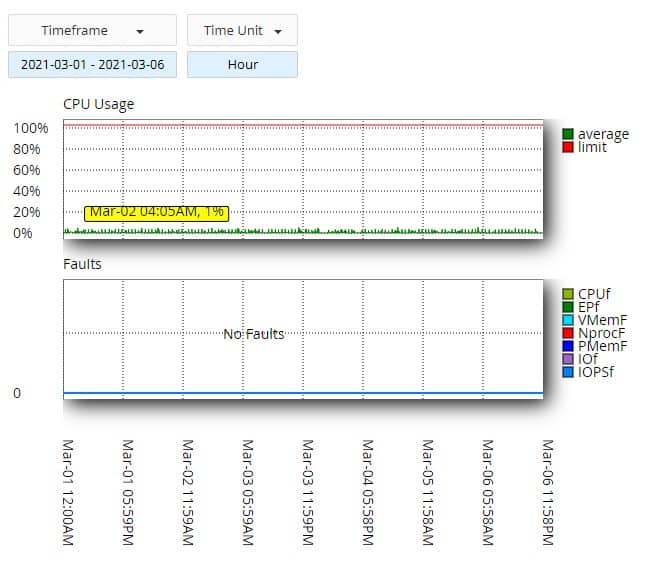
If your provider allows it (we allow our customers to access this information), you can see when and why your website is hitting the limits assigned to your hosting account. You just need to go to your control panel and look under Metrics, the section where your website’s statistics are, and within this section you’ll find a button that says Resource Usage. Once inside, you’ll be able to see the latest incidents, or if everything has gone well, you’ll see a message like this:

You’ll see there’s a button that says Details. Once inside, you’ll be able to see the specific statistics that show your website’s performance, and if there are problems, in which aspect your website is having trouble with resource consumption.
IS THERE ANYTHING I CAN DO ON MY END?
We’ve noticed that, on many occasions, a website can generate this problem because the code it uses is poorly designed, or perhaps a plugin is causing issues. Always try to have the latest version of the software you use installed, and if you can, temporarily disable the plugins you’re using. Perhaps one of them is generating the problems.
Make sure to check your error logs. Many times you can find good clues there to identify where the problem lies.
COME TO MIHOSTING.COM
If you’re not a miHosting customer, we invite you to bring your website to our servers. We’re confident that your problem with the 508 error will disappear completely on our servers. Since we never overload our servers, we ensure that each website has plenty of resources available. So you can test our claims, come to our servers and enjoy 1 month free. That way you’ll be completely sure that we deliver what we claim.
Fill out the following form, and we’ll set up your hosting for a full month, completely free.